You can get a downloadable copy of your receipt or invoice in your Section account.
- Log into your account.
- Click on the profile icon in the top right corner.
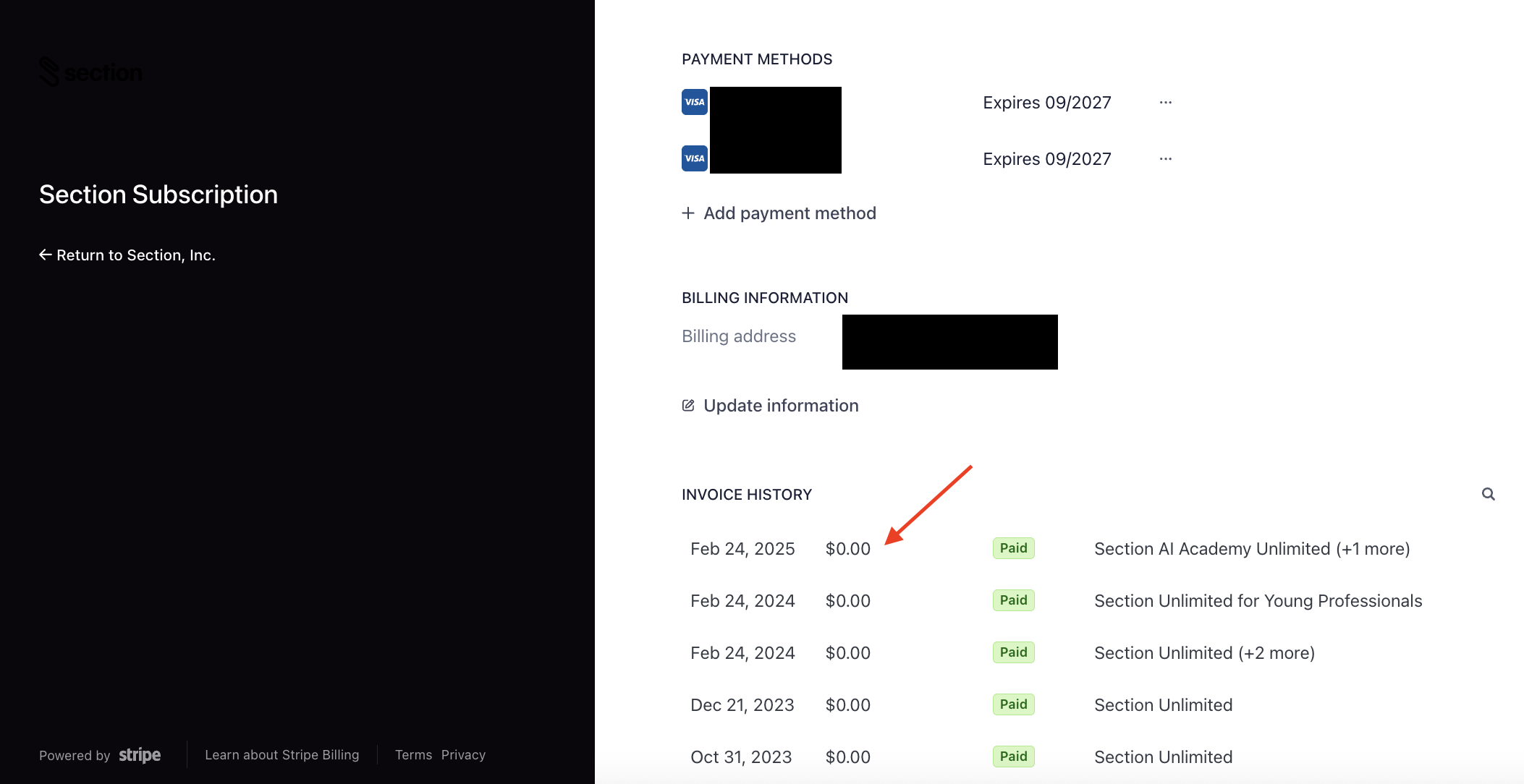
- Click Manage Billing.
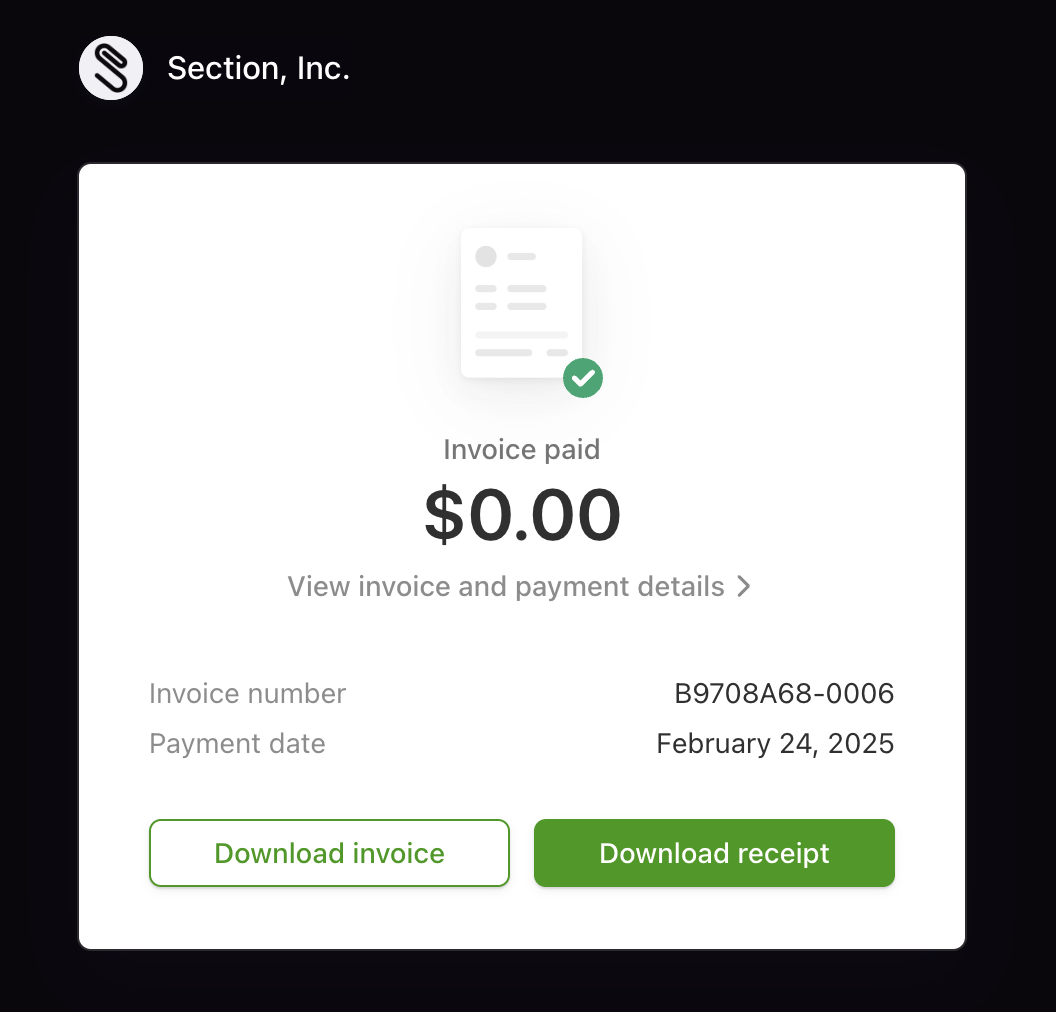
- Click into the transaction.
- Download the invoice or receipt.
If you need to make any changes to your invoice, you can submit a request to Section with the following information and they can make those changes for you.
- Section account email
- Bill to name
- Bill to address
- VAT number (if required)